





Written By: Lindsay Kuula
Date: January 15th, 2026
Read time: ~11 mins
As I recall the first few months after bringing our first baby home, I have to admit, I was not a chill mom. I went through 3 different baby monitors expecting to find one that met all of my requirements. I ended up using the Nanit Pro for about a year because I loved the breathing band and the sleep insights that I was given. This camera worked well for us, but there were a few things that I didn’t love toward the end of my time with it. The biggest one being the yearly subscription needed to use most of what I would consider, basic features.
Want to learn more about the Nanit Pro? I wrote a comprehensive review here.
Plus, we are expecting another baby, so I knew I wanted a system that could use two cameras on one display, so that’s when I really started doing the research.
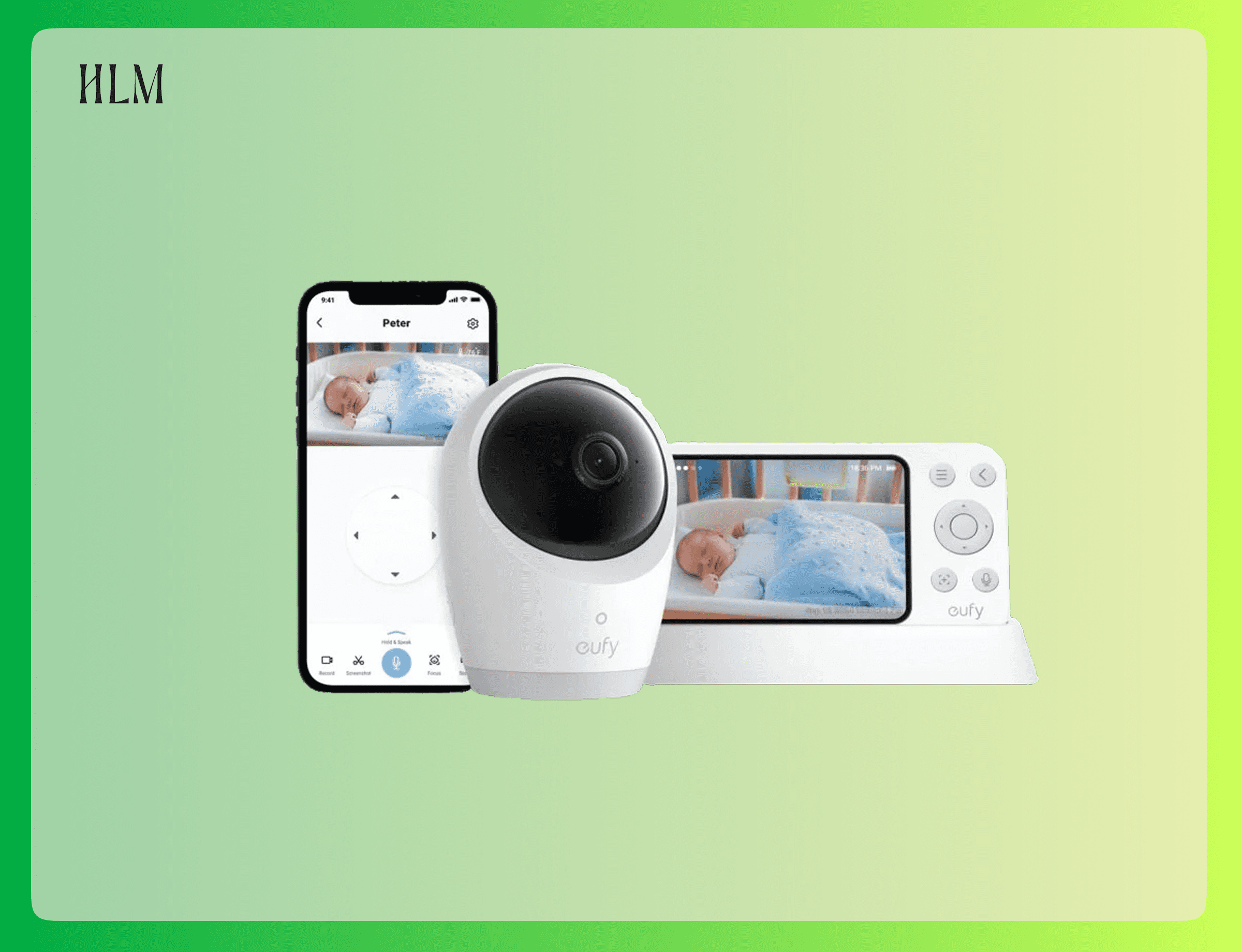
After testing several options and reading through hundreds of parent reviews, I landed on the Eufy E21 baby monitor. After using it for about 6 months, I’m loving it and have purchased the second camera for when this new baby arrives.
So, I’m here to give you my unbiased opinion about this monitor. Because this is a tech product, there are some technical details that I do my best to lay out simply in a “why this matters” overview, so you don’t have to do the extra layer of research that no one actually wants to do.
Why 4K Camera Quality Actually Matters (And What It Really Means)
Let’s talk about that 4K camera. You’ll see when researching any baby camera, there will be a number that shows the camera resolution. That could be 720p, 1080p, and in the case of this Eufy, 4k. Without getting too detailed, those numbers indicate how clear of a picture you’ll get with the camera. The higher the number of pixels, the higher the quality.
So, why does it matter? With the Eufy E21, when I zoom all the way in on E’s crib, I can see his chest rising and falling. I can count his breaths if I need to. I can see if his pacifier fell out or where Momo (his stuffy) is. The image on this camera remains crystal clear, even zooming in to 8x. This is the beauty of 4k, you can zoom in REALLY REALLY far and the quality is not impacted. This is not the case for all the other monitors I’ve tried.
Even Nanit, which uses what I would argue is industry standard at 1080p, gets super blurry when you zoom in even just a little bit. With lower resolution, the distinction between sheets, the sleep sack or body parts becomes impossible to separate.
The Eufy E21 baby monitor captures enough detail that when you’re up at 3am wanting to make sure baby is still breathing (c’mon, we’ve all done it…) this camera has the quality to confidently distinguish breathing vs the pixels adjusting.
A Unique Feature That Sold Me: A Rechargeable Camera Battery
Can we talk about how genius this is?
The Eufy E21 has a 5,000 mAh rechargeable battery built into the camera itself. Okay, meaning what? The actual camera (not just the monitor) has a battery and can be used when it’s not plugged in. This is the first permanent camera I have found that has this. All other cameras require the camera to be plugged in, unless it’s specifically a travel camera.
In a full charge, it holds nine hours of battery life in full color mode or 5.5 hours in night vision.
So, in the off chance of a power outage (which happen frequently in our area thanks to windstorms and snow), the monitor can keep running.
I didn’t realize how much peace of mind this feature brought me until our power went out at 2 AM during a windstorm about a week ago. E slept through it and I could still see him clearly on the monitor.
Plus, even without power, the monitor was still able to read the temperature in his room. I have notifications set to alert me if the temperature drops below 63 degrees. Which it did, and that’s how I even found out the power was out. So, I went into his room and brought him into bed with us to ensure he didn’t get too cold given it is January in the North.
While this is a very rare occurrence, its a built in safety net for us. He’s a little too far away from us to hear him without a monitor, but he’s still in his crib so he cannot come to us if he got to cold.
Keep in mind, the camera is not intended to be used without being plugged in, it’s more of a backup situation.
WiFi Optional:
This is when I really started considering the Eufy E21 as all these unique features really started adding up.
You have options and can choose what suits your family best:
Option 1: No WiFi Needed Insert a microSD card (I bought a cheap one on Amazon for about $15), and the monitor stores footage locally. (Which you don’t even need to use if you don’t want to) No cloud. No WiFi. No internet vulnerabilities, which I’ll talk about here. Perfect for parents who want complete privacy or for travel to a cabin, camping, or anywhere without reliable internet.
I mostly use this option because I’m a little crunchy, and I’m doing my best at reducing exposure to EMF here. I also just prefer the monitor over my phone. No solid argument for why, just do.
Option 2: WiFi Enabled Connect the monitor to your WiFi and use the Eufy app on your phone. We’ll usually flip WiFi on if we’re working in the yard and the monitor is too far out of reach or if my husband and I are on a date night, just so we do have visibility if we want it. (I can’t remember the last time I did actually look, because I do think it’s important to fully disconnect — but the option IS there.)
Some detailed feature information:
- You can use the monitor with or without wifi.
- You can only use the app with wifi
- All of the same feature are available via wifi or app (i.e., Vox Mode, temperature, etc.)
- The WiFi toggle button is on the backside of the camera, so depending on how high you mount your camera, it may not be incredibly convenient to switch it back and forth all the time.
In short, the Eufy E21 baby monitor gives parents flexibility that most WiFi-dependent monitors just don’t offer.
VOX Mode – Keeping The Background Noise Off (Until You Need It)
Thank God someone invented this. There are plenty of cameras that have this as a feature, but if you ever use a camera that doesn’t (looking at you Nanit), you’ll never want to be without VOX again…. Okay, now let’s talk about what VOX even is:
VOX Mode: Audio Only Once Baby Cries
You can set the monitor to go completely dark (i.e., no background noise and the screen is off) and to only turn back on when your baby makes noise above a certain decibel threshold.
This means:
- No listening to white noise static for hours
- No hearing every tiny shuffle or sleep sound
- Your own sleep isn’t interrupted by normal baby sleep noises
- You still get alerted immediately when they actually cry
For a light sleeper like me who used to wake up at every grunt and squeak, this has been genuinely life-changing.
Case Study: I have had an Oura ring for over a year, and when we switched cameras from Nanit to Eufy, my sleep scores increased significantly. The biggest contributor was restfulness (which is how many times you wake up in a night)… With Nanit, no VOX mode existed, so the background sound was constantly running and I was waking up all the time to tiny baby noises that didn’t need to be addressed. Now with VOX mode, I’m not waking up as often throughout the night because I’m not hearing all those small, unnecessary sounds.
One other addition that The Eufy E21 claims is something called ANR—Active Noise Reduction. This is supposed to filter out background noise like a sound machine. This is not a stand out feature for me, as the sound machine comes through quite loud. This might be because we have our sound machine quite loud?
Built-In White Noise (One Less Thing to Pack)
The camera itself has multiple white noise options you can play directly from the monitor. For our family, we do bring a separate portable sound machine as I think the quality is considerably better. But if we were in a bind and left it at home, this would be a great backup.
The Eufy E21 has 5 different sound options: forest, cricket, rain, streams, and alpaca bells. I’m not sure why they landed on these as general white noise, ocean waves, fans, rain, hush and a few others tend to be the top sounds parents use?
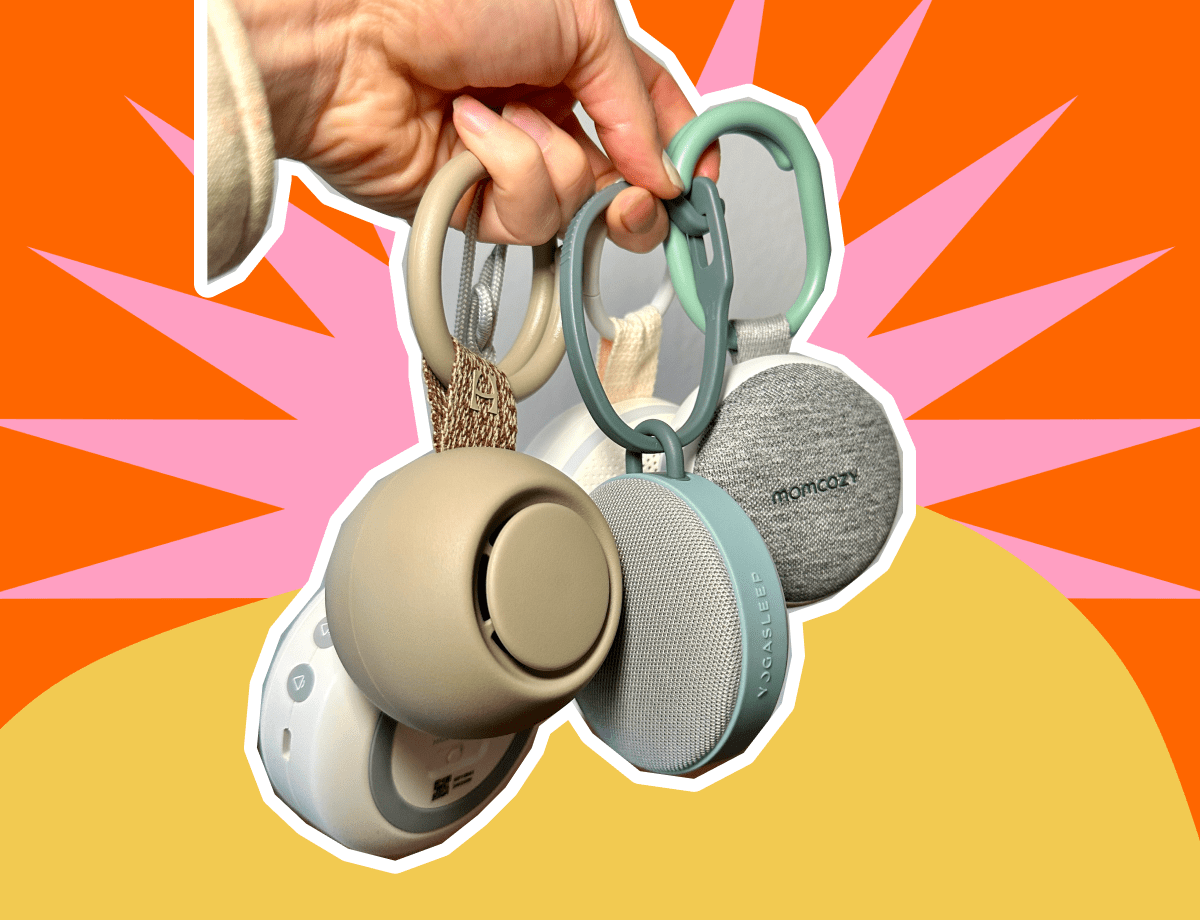
Looking for a great sound machine? I wrote a comparison on the top 4 portable sound machines of 2026. Read it here: Hatch Go vs Momcozy vs SlumberPod vs Yogasleep: Which Portable Sound Machine Is Best?
Temperature and Sound Alerts: No More Guessing
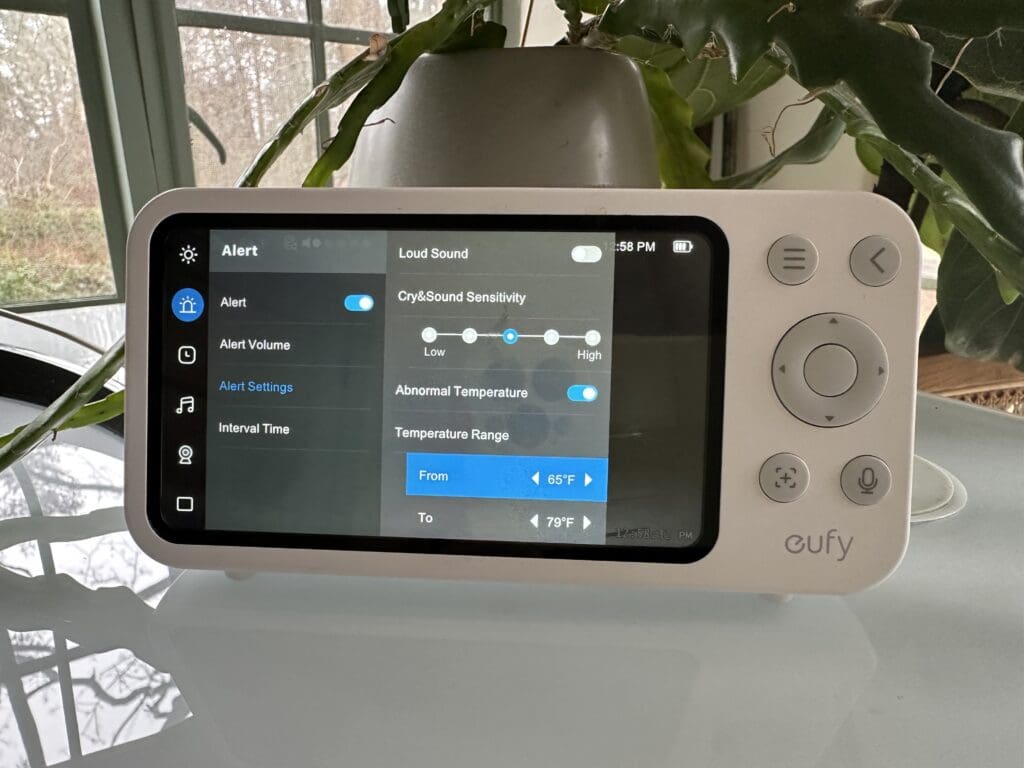
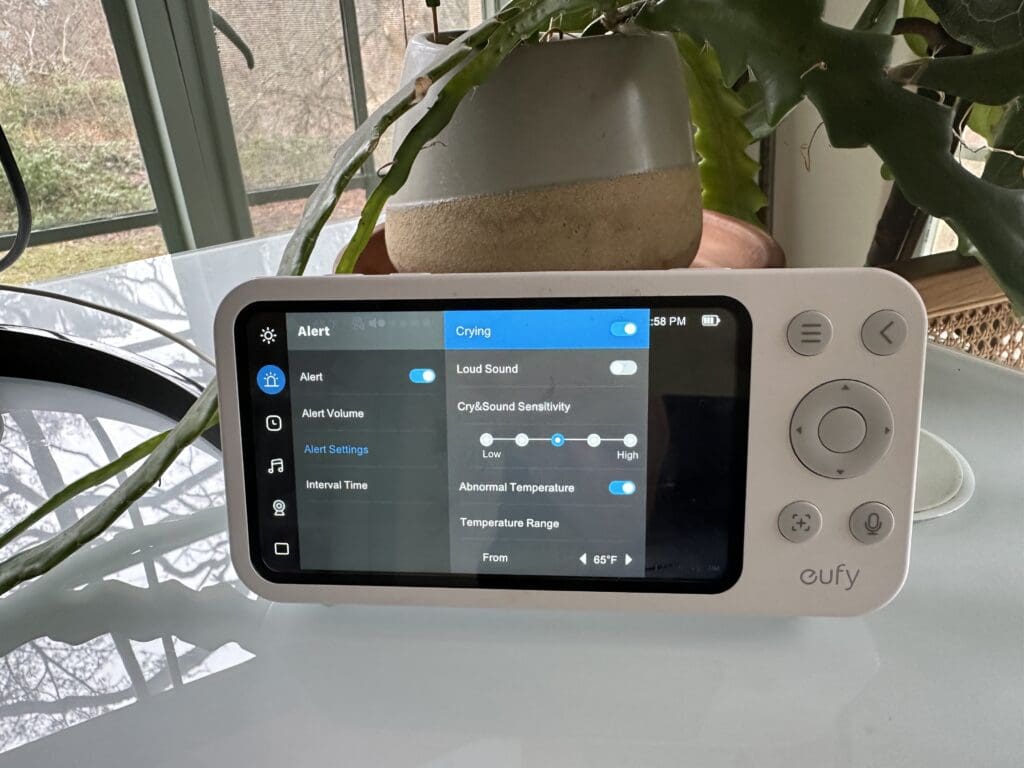
The monitor tracks the room temperature and sends alerts if it gets too hot or cold. You can set your temperature degree tolerance, mine is set to 65 for the low, and 79 for the high. Any time a temperature is detected outside of those limits, the app/monitor will send a notification.
You can also set crying or loud sound alerts. You can also set the cry and sound sensitivity. Mine is set right in the middle, and I don’t have loud sound alerts on, because we’re often in his room playing and any loud noise will trigger the monitor to turn on, and it’s too much for me.
No Monthly or Annual Subscription
This felt like a breath of fresh air to me, especially in the baby/parenting world. The Eufy E21 baby monitor requires zero subscription fees. You buy the hardware and voila, that’s the last penny you spend on it!
You are getting a fairly basic monitor, and this is why there are no subscription fees. With Nanit as an example, they have many features that would likely require the revenue of a subscription to keep the company advancing and creating top-of-the line features.
A few features that I do miss now that I don’t use Nanit are sleep insights, predictive nap / bedtime and the biggest one, how long your baby has been asleep for. When we were in the newborn stage, it was interesting to see how many times your baby was up, how long it took them to fall asleep, and a few other insights. But here’s the thing, while this data was fun to look at, it didn’t actually mean anything. None of this data gave me action items to change or pivot. It honestly just became extra noise.
Some Smaller, But Notable Features
Charging Base/Dock
I love the charging base for the monitor. You can charge it with a cable or just pop it onto the base. We use the base to charge 100% of the time, and we only charge it 1x a day. (The battery is good, but it needs to be charged daily). We charge it at night, and it sits on my nightstand. The footprint it pretty small, which is nice.
Face Recognition
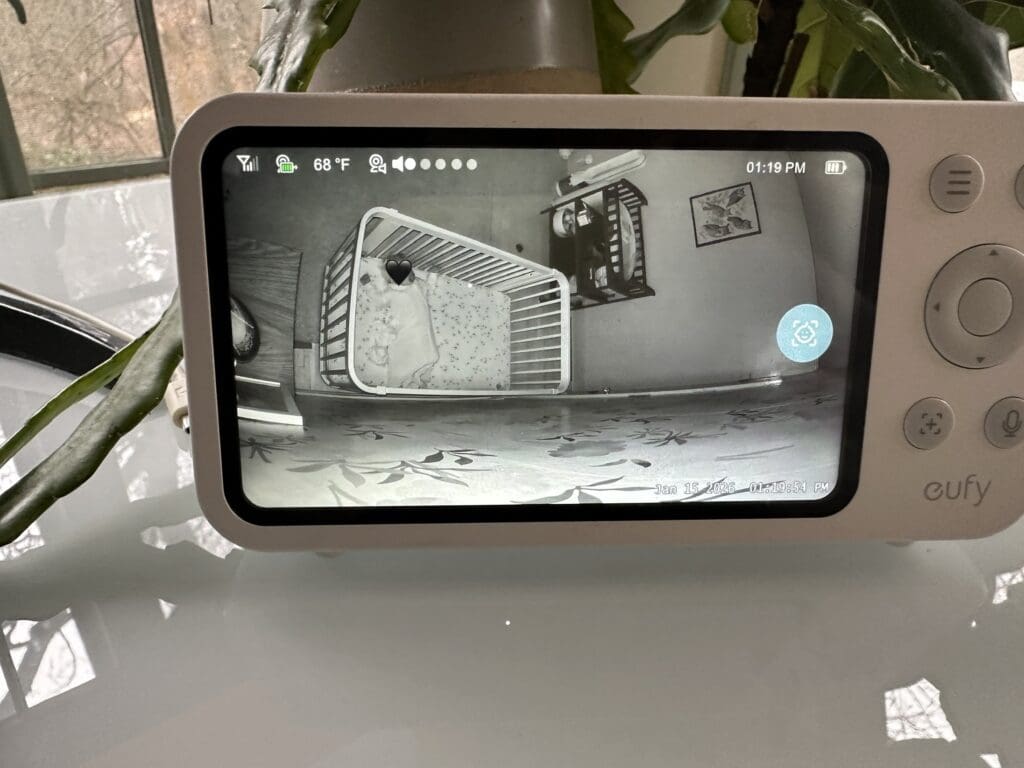
When your monitor is on, if you push the middle button between all the arrows, a little blue icon with a face will pop up on the right. The camera then will automatically begin zooming in on your child’s face until it cannot zoom any further. I’m not sure the exact use case of this, but my best guess is a quick zoom to the face without having to zoom in, then move the camera left, right, up or down at each zoom.
Hard Launch Mom Rating System
Let me break down how the Eufy E21 scores on the metrics that matter the most to me
Price Point (Value): ⭐⭐⭐⭐
At around $200, the Eufy E21 baby monitor sits in the mid-range price category. But once you factor in $0 additional subscription fees, you’re only paying a 1-time hardware fee.
The value proposition is exceptional to me. You’re getting a premium camera with the features parents actually need at a mid-tier price, with zero ongoing costs. That’s a win in my book.
Functionality: ⭐⭐⭐⭐⭐
The Eufy E21 delivers on almost everything it promises. The 4K quality is genuinely impressive. The battery life holds up to the stated 9 hours. VOX mode works flawlessly. Temperature monitoring is accurate. It meets expectations – this monitor does what it claims it will do, and does it well.
Aesthetic: ⭐⭐⭐⭐
The monitor is sleek and modern without being overly bulky. The camera is small enough and unobtrusive in the nursery. I haven’t seen a monitor that has redefined what a beautiful camera could look like, so for what it is, it’s right at industry standard.
Clean Factor (Safety & Materials): ⭐⭐⭐⭐⭐
This is where Eufy really outshines many other monitors for safety-conscious parents.
The option to use the monitor completely offline (with an SD card, no WiFi) means you can eliminate potential security vulnerabilities if that’s a concern for you. When you do use WiFi, Eufy uses bank-level encryption.
No AI features means no data being collected or analyzed about your baby’s sleep patterns and sent to external servers.
Eufy E21 vs Top Competitors: Side-by-Side Comparison
| Feature | Eufy E21 | Nanit Pro | VTech RM7764-2HD | Infant Optics DXR-8 Pro |
|---|---|---|---|---|
| Price (Camera + Monitor) | ~$200-250 (1 camera) | ~$250-300 (1 camera) | ~$165-175 (2 cameras included!) | ~$200 (1 camera) |
| Video Resolution | 4K UHD | 1080p HD | 1080p FHD (app) / 720p HD (parent unit) | 720p HD |
| Screen Size | 5″ display | No screen (app only) | 7″ touchscreen LCD | 5″ display |
| Subscription Required | ✅ No | Optional ($84-240/year) | ✅ No | ✅ No |
| WiFi Required | ✅ Optional | ❌ Yes | ✅ Optional (has Direct Mode) | No (closed-loop) |
| Camera Battery Backup | ✅ Yes (9 hrs color, 5.5 hrs night vision) | ❌ No | ❌ No | ❌ No |
| VOX Mode (Sound-Activated) | ✅ Yes | ❌ No | ✅ Yes | ✅ Yes |
| Active Noise Reduction (ANR) | ✅ Yes | ❌ No | ❌ No | ✅ Yes (patent-pending) |
| Pan/Tilt | 330° pan / 60° tilt | No | 360° pan / 80° tilt | Pan/tilt with remote |
| Zoom | 8x digital | Digital zoom | 10x (app) / 4x (parent unit) | 6x optical (interchangeable lens) |
| Night Vision | ✅ Yes | ✅ Yes | ✅ Yes | ✅ Yes |
| Two-Way Audio | ✅ Yes | ✅ Yes | ✅ Yes | ✅ Yes |
| Temperature Monitoring | ✅ Yes | ✅ Yes | ✅ Yes | ✅ Yes |
| Multi-Camera Support | ✅ Yes | ✅ Yes | Up to 4 cameras (2 included) | Up to 4 cameras |
| Range (No WiFi Mode) | ~900 ft | N/A (WiFi only) | Up to 1,000 ft | Up to 1,000 ft |
| Sleep Tracking/Insights | ❌ No | ✅ Yes (with subscription) | ❌ No | ❌ No |
| Breathing Monitoring | ❌ No | ✅ Yes (with breathing wear) | ❌ No | ❌ No |
| Built-In White Noise | ✅ Yes (5 sounds) | ✅ Yes (via app/sound machine) | ✅ Yes (lullabies + soothing sounds) | ❌ No |
| Local Recording | ✅ Yes (SD card up to 128GB) | Cloud only (with subscription) | ❌ No | ❌ No |
| Setup Complexity | Easy (under 10 min) | Moderate (wall mount) | Easy (plug & play) | Very easy (plug & play) |
| Power Outage Functionality | ✅ Yes (camera battery) | ❌ No | ❌ No | ❌ No |
| Best For | Parents who want 4K clarity, WiFi flexibility, and power outage protection | Data-driven parents who want AI sleep insights and breathing monitoring | Budget-conscious parents monitoring 2+ rooms who want a large screen | Privacy-focused parents who don’t want WiFi/internet connection |
What Parents Would Benefit From The Eufy E21 Baby Monitor
After using this monitor for 6 months, here’s who I think will love it:
- Parents who want crystal-clear video quality without spending $400+
- Families in areas with frequent power outages
- Privacy-conscious parents who want the option to avoid WiFi/cloud storage
- Parents who want one monitor that works both at home and while traveling
- Anyone tired of subscription fees for basic monitor features
- Light sleepers who need VOX mode to avoid waking at every baby sound
- Seasoned parents who don’t need all the bells and whistles
What Parents Might Want to Consider Other Options
The Eufy E21 might not be the best fit if:
- You need a completely portable parent unit (the camera is not meant to be unplugged)
- You live in a very large home and need extended range in non-WiFi mode
- You want advanced features like sleep tracking, breathing monitoring, or AI insights
- You prefer a larger screen on the parent monitor
- Anxious first time parents who might want a breathing band or safety alerts
FAQ’s About The Eufy E21
Does the Eufy E21 require a subscription?
No. The Eufy E21 has zero subscription fees. You buy the hardware once and all features are included forever.
Can you use the Eufy E21 without WiFi?
Yes. Insert a microSD card and the monitor works completely offline with no internet connection needed. You can toggle WiFi on/off as needed.
How long does the Eufy E21 camera battery last?
The camera has a 5,000 mAh battery that lasts 9 hours in color mode or 5.5 hours in night vision mode. Note: This is a backup feature, not for regular untethered use.
Is the Eufy E21 better than Nanit?
The Eufy E21 has better zoom clarity (4K vs 1080p), no subscription fees, and VOX mode. Nanit offers AI sleep insights and breathing wear. Best choice depends on whether you prioritize cost savings or data analytics.
Can you add multiple cameras to one Eufy E21 monitor?
Yes. The monitor can support up to 2 cameras on a split-screen view. However, if you are using the app, there is no limit to how many cameras can be connected.
What’s the range of the Eufy E21 without WiFi?
Approximately 900 feet in open space, less with walls. For larger homes, WiFi mode extends range indefinitely.
Is the Eufy E21 safe from hacking?
When used in offline mode, there’s no internet vulnerability. In WiFi mode, Eufy uses bank-level encryption. No cloud storage means no data breach risk.
Does the Eufy E21 work with Alexa or Google Home?
No
How is the Eufy E21 different from other Eufy models?
The E21 is the newest model with 4K resolution. Older Eufy models (E20, SpaceView) offer 720p-1080p resolution and lack some smart features. The Eufy E20 has the option of adding a Baby Smart Sock Sensor which is a device that monitors a baby’s heart rate, oxygen levels, and sleep patterns using a sensor placed in a sock.
The Bottom Line: Is the Eufy E21 Worth It?
For our family, the Eufy E21 baby monitor has been absolutely worth the investment.
The camera quality is top notch, there’s lots of customization available, can use with or without wifi, and the biggest reason, no subscription fees.
Is it perfect? No. In my dream world there would be AI insights similar to Nanit without having to send data back to the company with no subscription fee. But that’s never going to happen, so I’m perfectly happy for this monitor.
If you’re looking for a baby monitor that delivers professional-quality video, works reliably in multiple scenarios, and doesn’t nickel-and-dime you with subscriptions, the Eufy E21 is hard to beat at this price point.
If this has helped you make the decision to purchase the Eufy E21 baby monitor, please consider using my link to purchase, which really helps support what I’m doing, and that’s to bring you authentic, real and in-depth product reviews. Thanks so much!
Disclosure: This is a review blog which may get compensated for the products reviewed by the companies who produce them. All of the products are tested thoroughly and I only endorse products I believe in. I am an independent blogger and the reviews are done based on my own opinions.



View comments
+ Leave a comment