






Written By: Lindsay Kuula Read Time: ~8 mins
Updated: October 2026
Tested with my daughter (Owlet Dream Duo, up to 11 weeks old) and my son (Nanit Breathing Band, 2024)
Owlet Dream Duo Review, the quick answer:
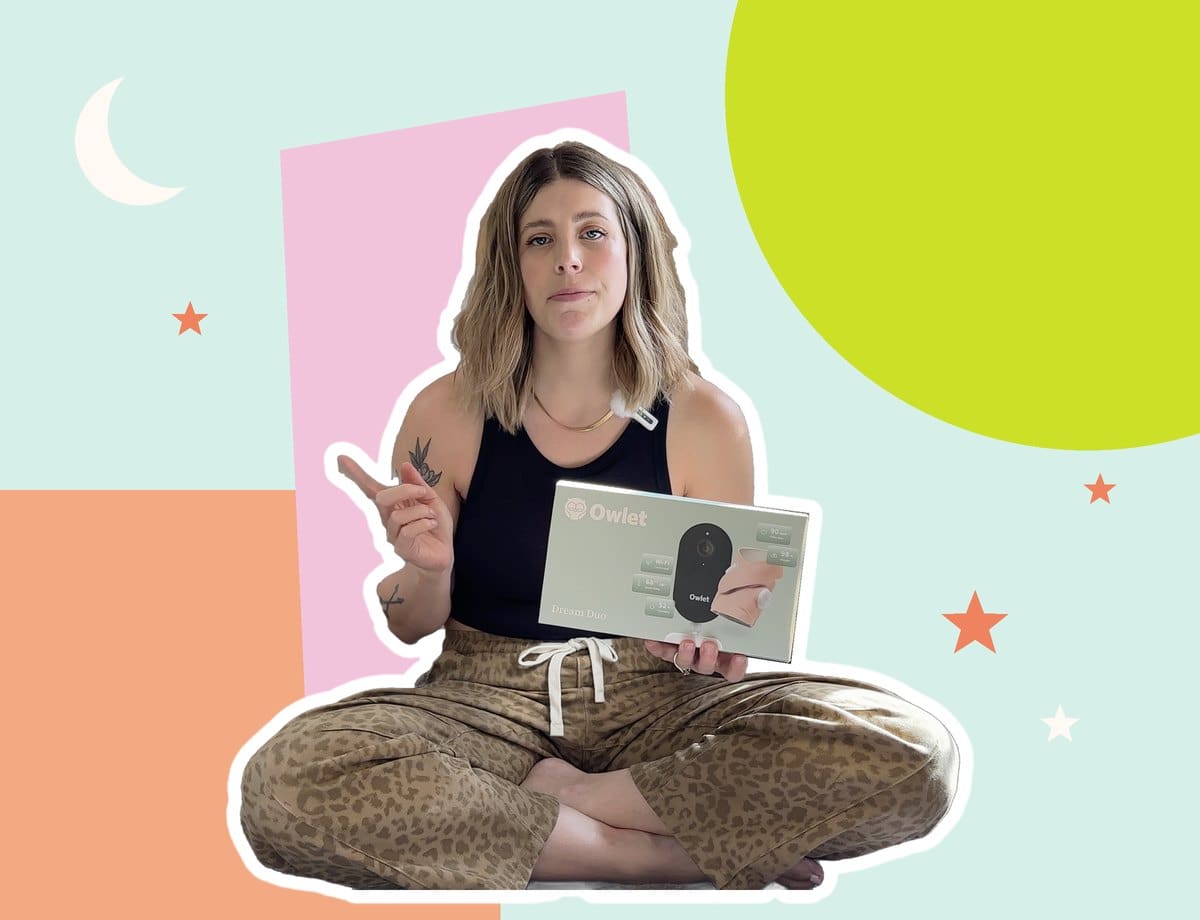
The Owlet Dream Sock is a great pick if anxiety about your baby’s sleep is keeping you up at night. It tracks heart rate and oxygen, it’s FDA cleared, and the sleep data is the best I’ve seen on any baby product. But I returned my Dream Duo. The camera never worked, and after 6 days of one email a day with customer service, I was done.
To give credit where credit is due, if I had only purchased the sock, I probably would have kept it. The sock on its own is an exceptional product, and it deserves the recognition.
Now, if you want breathing peace of mind without a “wearable” on your baby, the Nanit Breathing Band is the one I’d buy again.
Okay, let’s talk about the Owlet.
If you’ve ever stood over a sleeping newborn, holding your own breath, waiting to see their chest go up and down… or put your fingers under their nose to feel their breath, this one’s for you. (Hi. I was you. With my first, I did this approximately 17 times a night.)
I bought the Owlet Dream Duo (the Dream Sock plus their camera) for my second baby, Issa. I’ll be upfront right away: I sent it back. But I used the sock long enough to form some opinions, and since I used the Nanit Breathing Band with my son Ez, I can tell you how the two actually compare from a second time mom’s POV.
This post contains affiliate links, which means I may earn a commission at no extra cost to you. I bought the Owlet with my own money. Owlet had no say in this review.
Table of Contents
- What Is the Owlet Dream Duo?
- What I Liked
- What I Didn’t Love
- The Camera That Never Worked
- Owlet vs Nanit Breathing Band
- My HLM Rating
- Who Should Buy It (and Who Should Skip It)
- Owlet FAQ
What Is the Owlet Dream Duo?
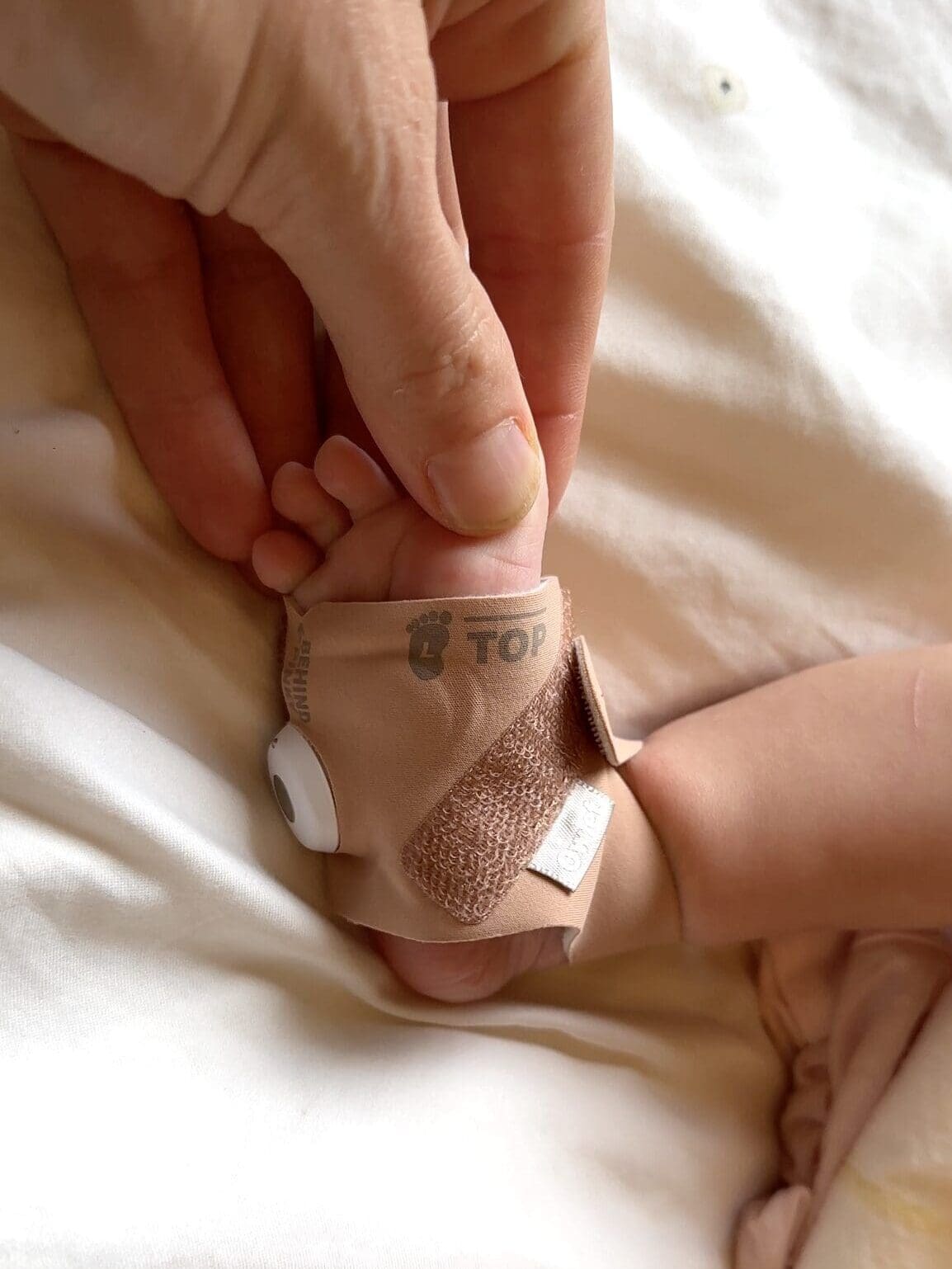
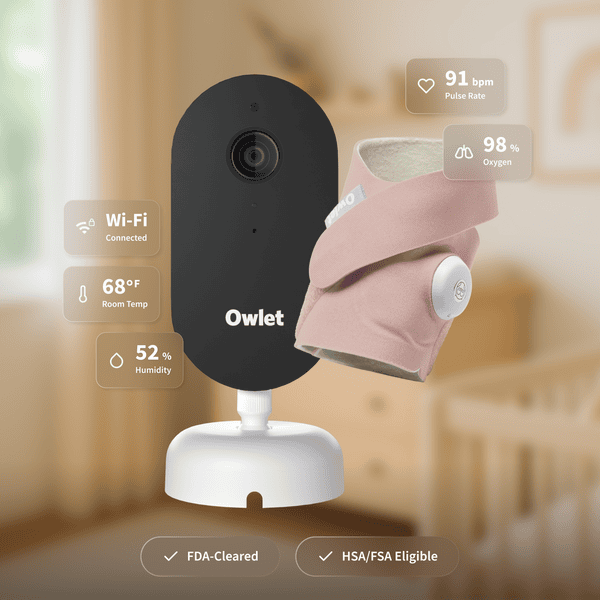
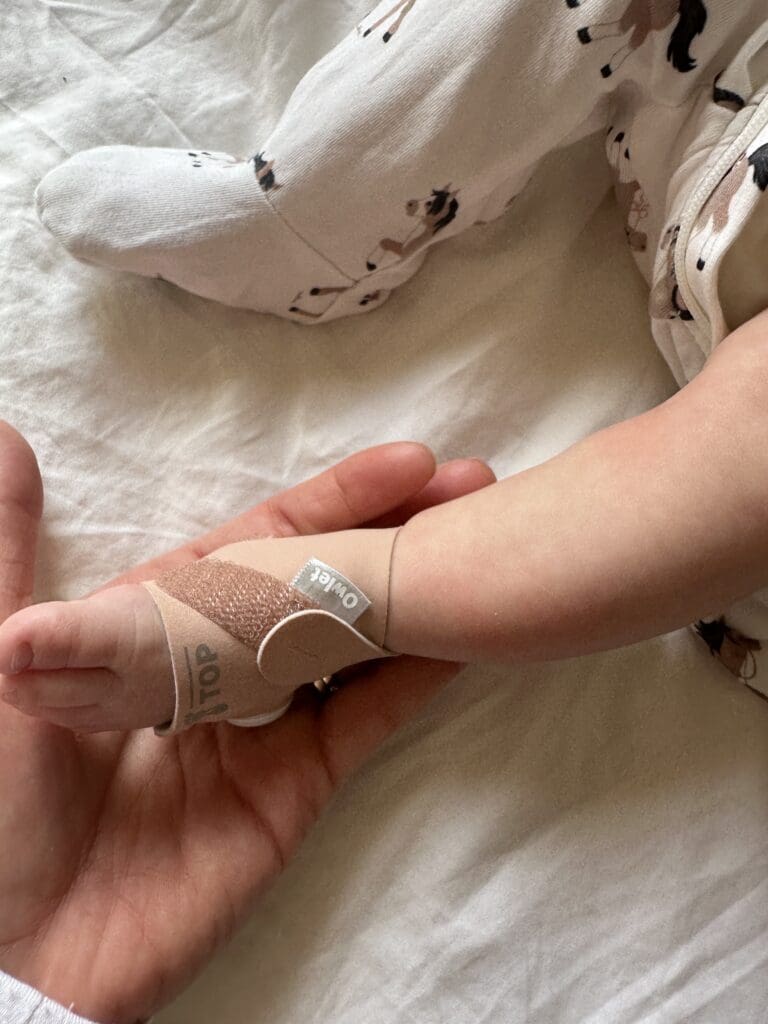
The Dream Duo is Owlet’s bundle of the Dream Sock and a video camera. The sock wraps around your baby’s foot and reads their pulse rate and oxygen level, then sends everything to the Owlet Dream app and a little base station that lights up (and alarms) if readings fall outside the normal range.
You typically keep the base station next to you on your nightstand. It connects to the sock via Bluetooth, so keep that in mind if your baby’s nursery is far from your bedroom.
The Dream Sock got De Novo authorization from the FDA in 2023, which is a big deal in a category full of products that are “not a medical device.” It’s made for babies 0 to 18 months who weigh 6 to 30 lbs.
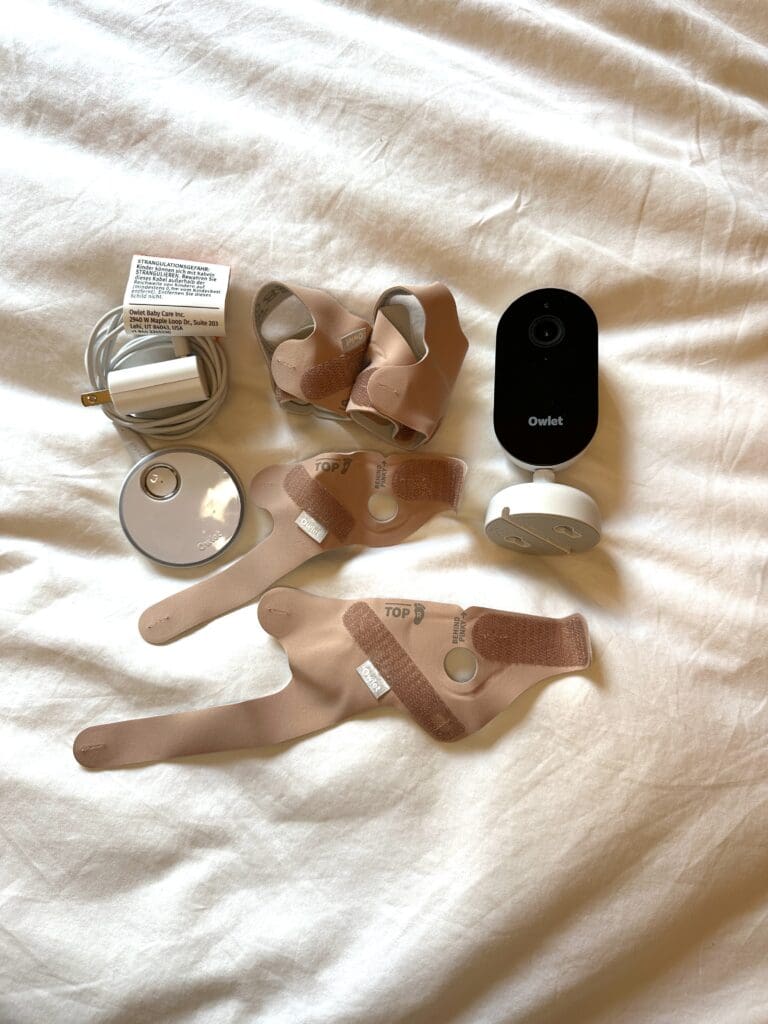
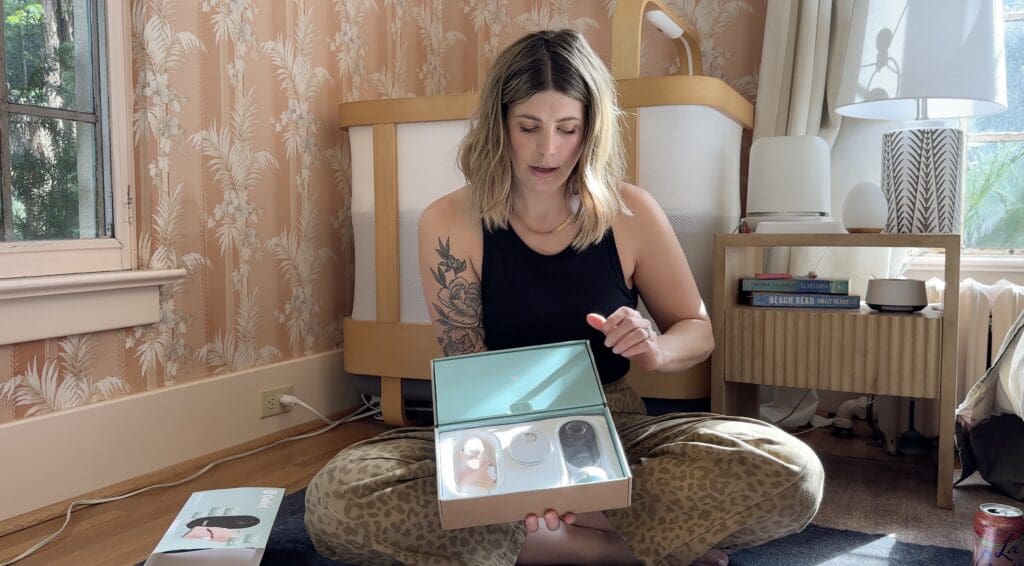
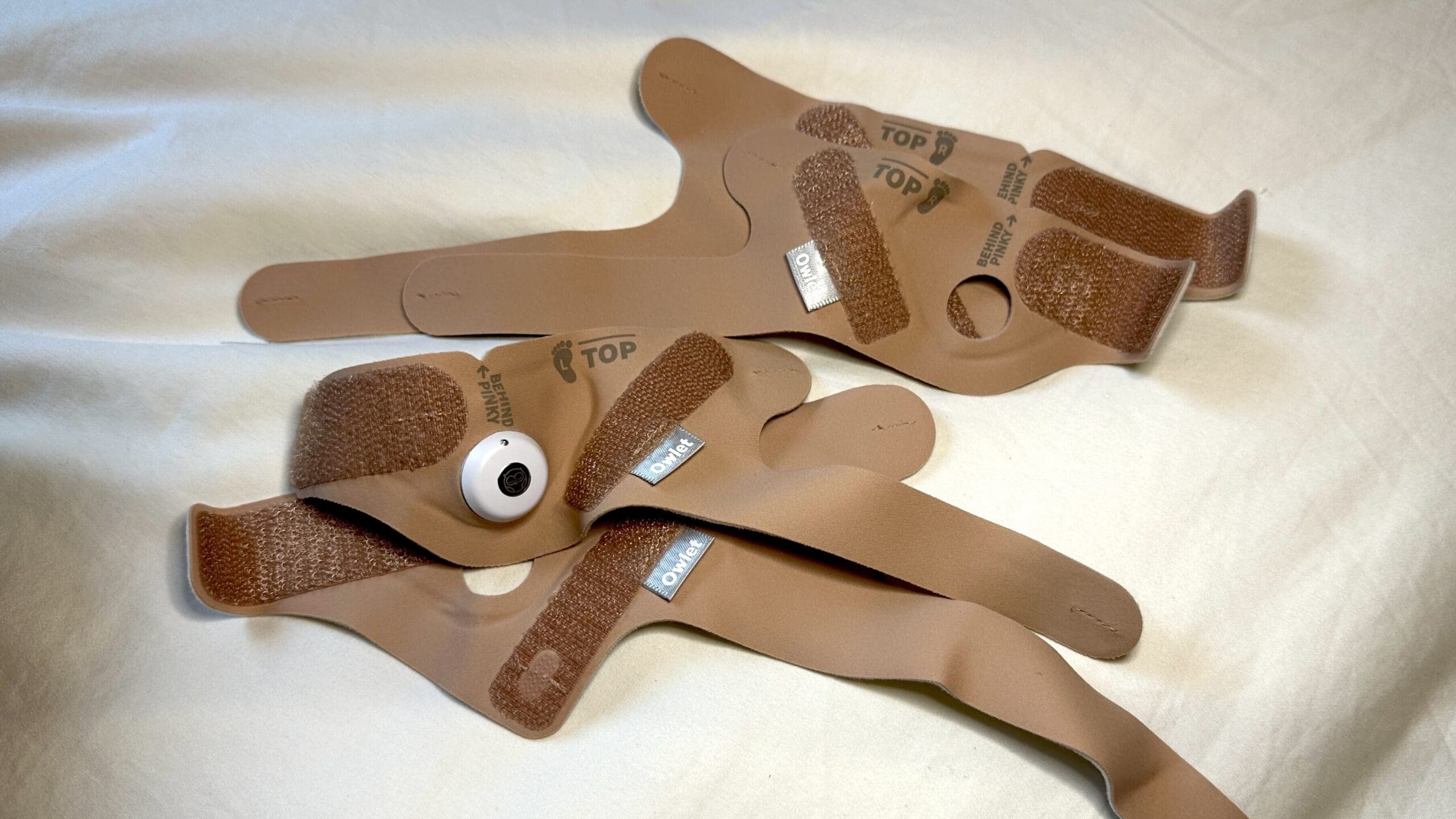
What’s in the box: the base station, the sensor, the camera, and four fabric socks. A small and a large, each for the left and the right foot. More on why I love that below.
Price: Owlet’s Dream Duo bundle is $379.99.
What I Liked
It’s made for the mom with baby anxiety
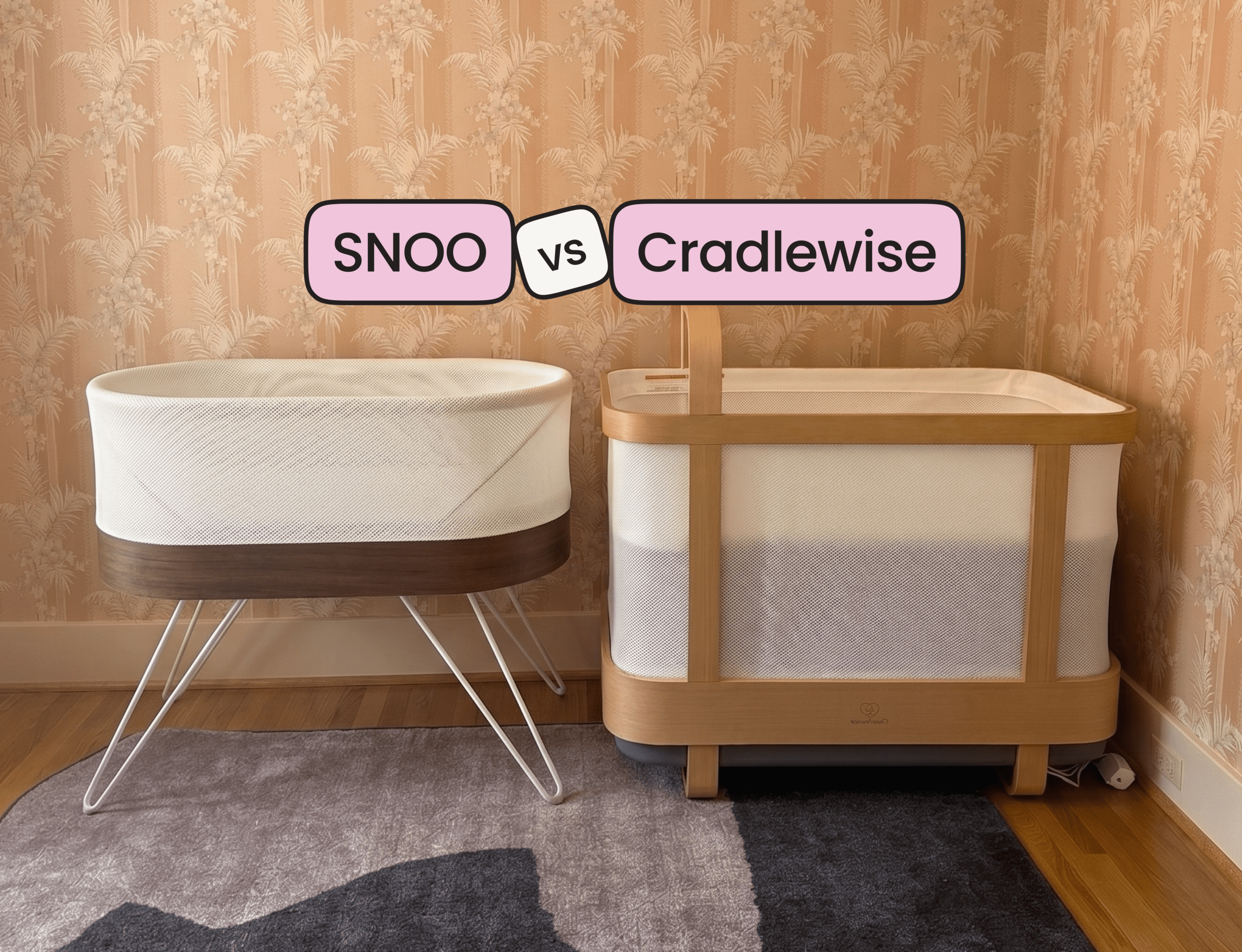
Can you feel seen by a product? If so, this is it… because if you have anxiety about your baby’s sleep, this product gets it. With Ez, I had crippling postpartum anxiety. I panic bought a SNOO on like day 3 because I was terrified he’d roll over. (Full story in my SNOO vs Cradlewise post.) If I’d had an Owlet back then, I think it would have given me the same kind of peace of mind.
This time around? I have relatively no anxiety with Issa. Which is part of why it wasn’t a fit for me. But if you’re in that place right now, there is zero shame in buying something that helps you sleep. You sleeping matters. You show up better for yourself, your partner, your children. You become a better parent when you have sleep. Full stop.
The data is next level
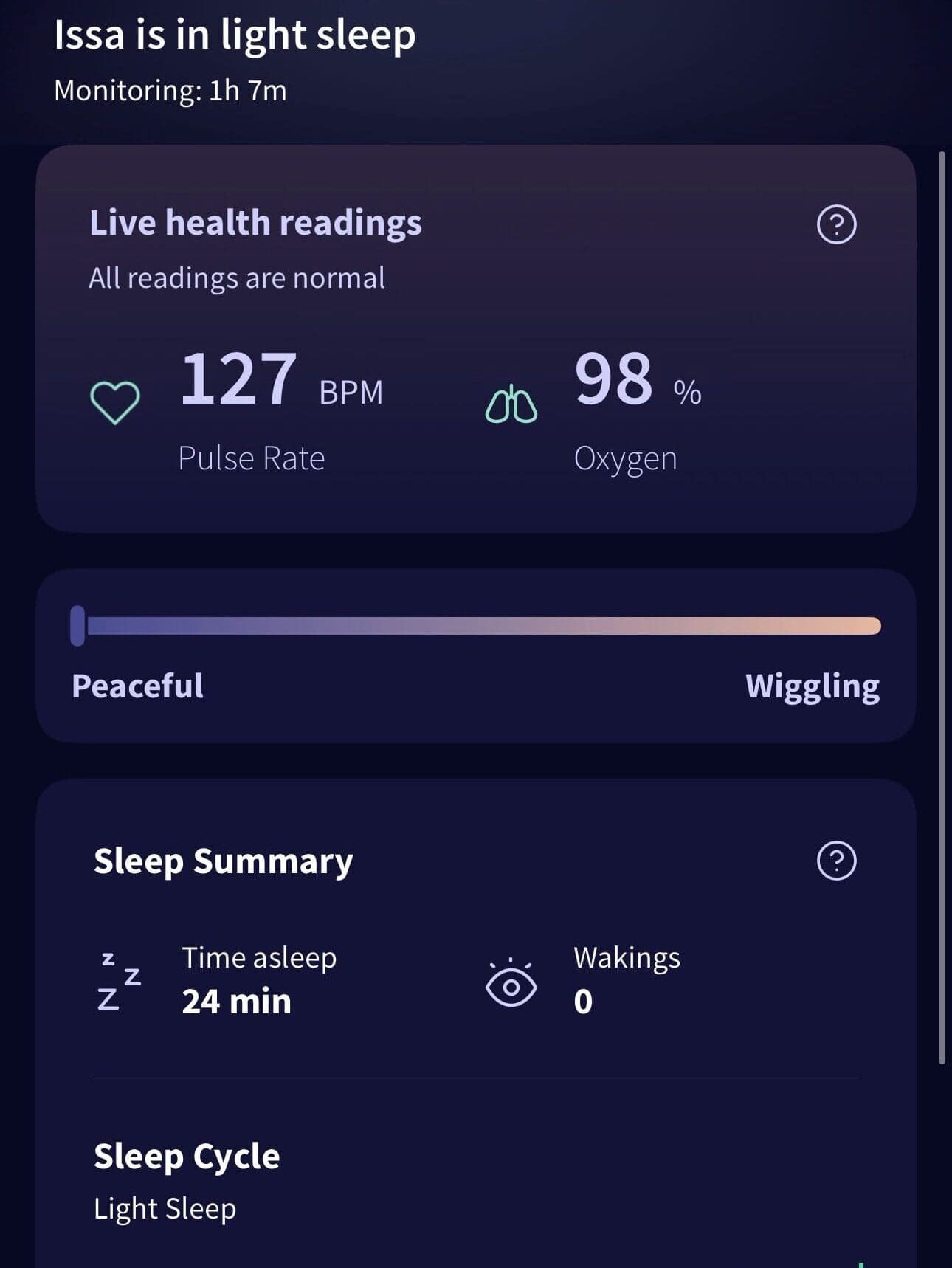
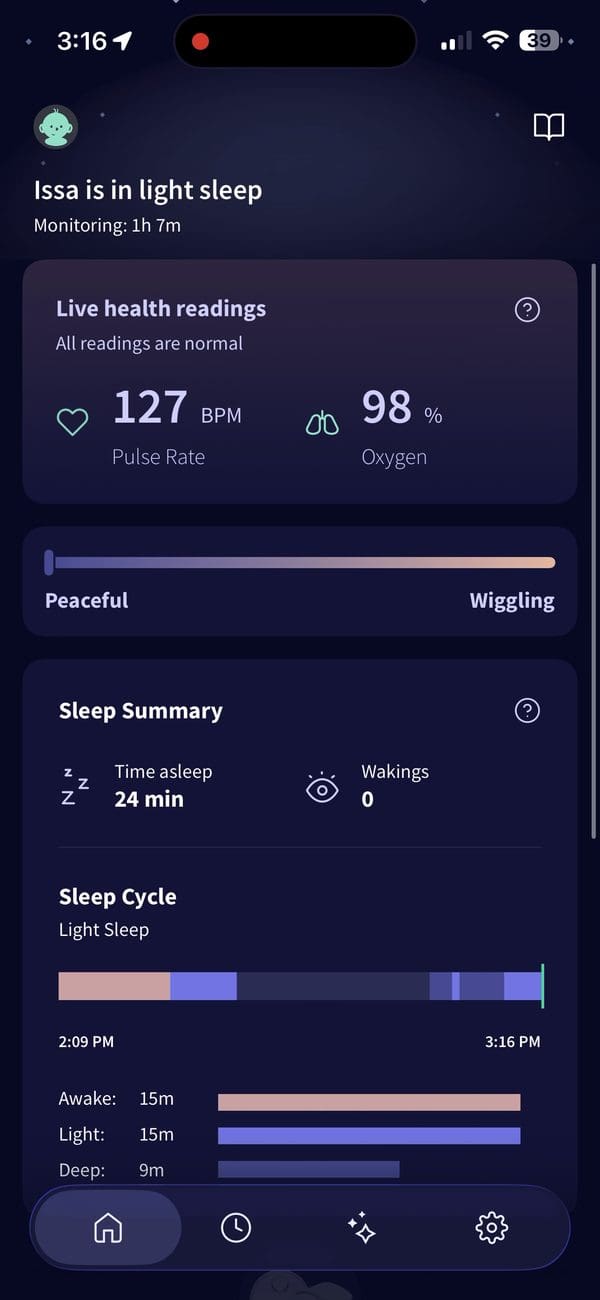
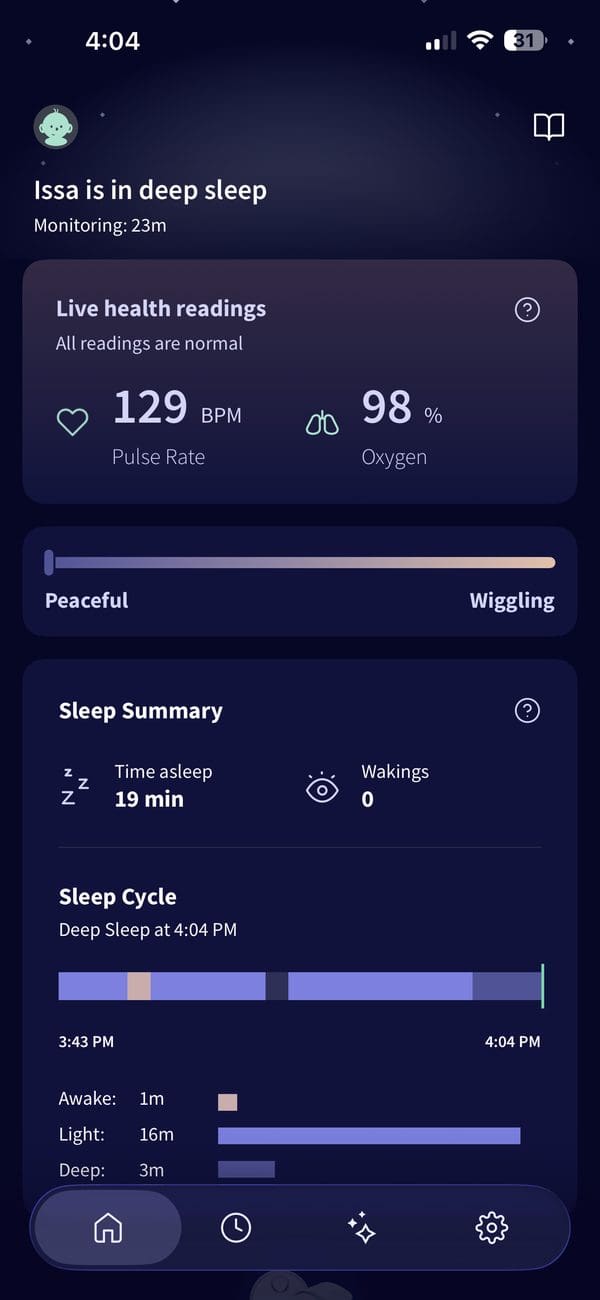
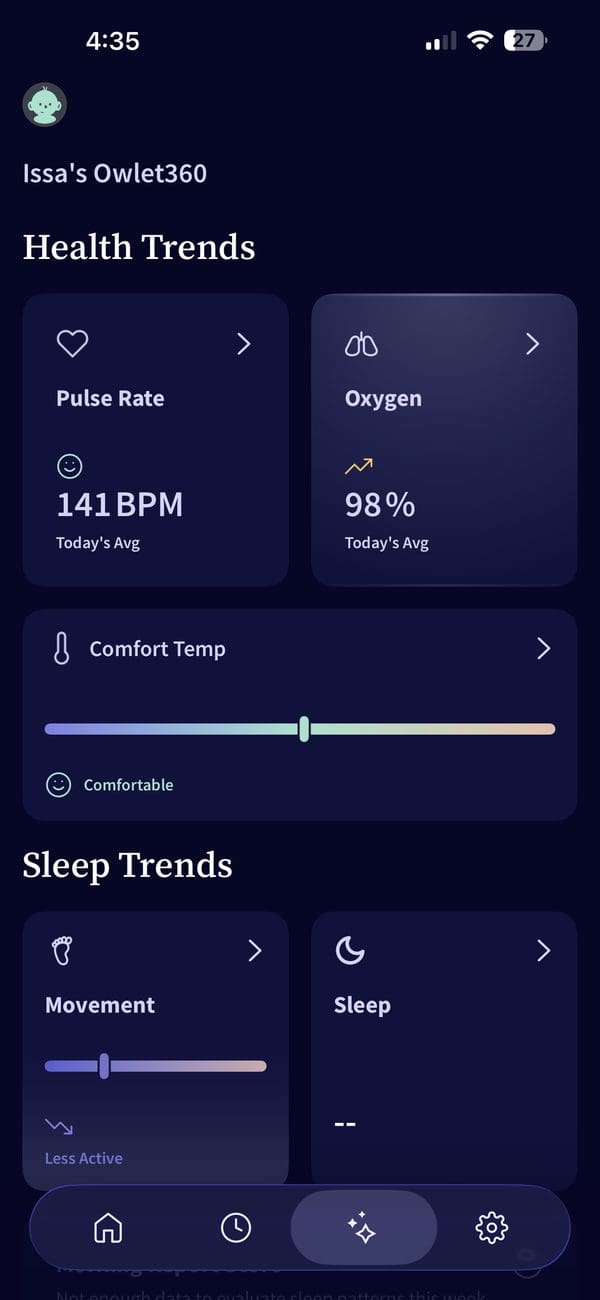
This is where the Owlet blew me away. I haven’t found another product that shows you what stage of sleep your baby is in. Not the SNOO, not the Cradlewise, not the Nanit. With the Owlet, you can see heart rate, oxygen, wakings, and when baby is in light vs. deep sleep.
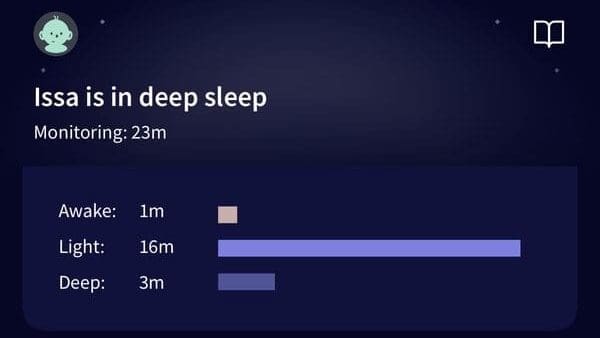
If you’re a data gorl like me, this is very fun. And informative. Having data that shows when your baby is napping, when they’re awake, and how long their stretches are is extremely helpful in the first few months of life, to help recognize patterns and start creating a bit of a routine. Now, I’d say you only need one device to track that information, and Owlet has that plus what it was designed for, and that’s monitoring of heart rate and oxygen.
Four socks, two sizes, both feet
I love that it comes with four socks: a small and a large for both the left and right foot. You can switch feet night to night, and you’re not buying a new sock the second your baby has a growth spurt. Thoughtful and appreciated. I swear so many other companies would give you one sock and charge you for the rest. Thanks Owlet!
What I Didn’t Love
Getting the sock on right takes practice
It took me a few tries to figure out how to put the sock on correctly. At first, it felt like I was putting it on way too tight, and I kept second guessing myself. Is this cutting off circulation? Is it too loose to read?
My advice: watch Owlet’s fit video in the app before the first night. Not at 11pm with a screaming baby on your bed kicking away, making it nearly impossible to place it.
A friend of mine who now LOVES hers said that during the first few nights, her husband was ready to throw it out the window because of the alarms. More on that below.
The alarms. Oh, the alarms.
The alarm drove me insane. Just expect to get less sleep the first few nights while you figure out how to use it. Between learning the fit and learning what each alert means, those first nights can be a lot. There are different alarms and colors on the base for different issues.
Here’s the cheat sheet:
- Red: the big one. Baby’s oxygen level or pulse rate is outside the recommended range. Go check on your baby first.
- Yellow: the sock is having trouble getting a reading or talking to the base station. Lots of wiggling can set this one off too.
- Blue: the sensor is running low on battery (under about 50 minutes left). Time to charge.
- Lavender: indicates excessive movement, wakefulness, or potential discomfort/stress. For me, it meant my baby was trying to settle into sleep. She’s a wiggle wart.
- Green: all good. This is the color you want to see.
Tap the base station (or hit dismiss in the app) to snooze the sound. Owlet notes the light stays on so you can still see what triggered it.
I’d recommend doing a trial run during daytime naps while you’re awake (and caffeinated), so you learn the alerts before you’re panicking trying to remember if the alarm is just a loss of connection or something serious.
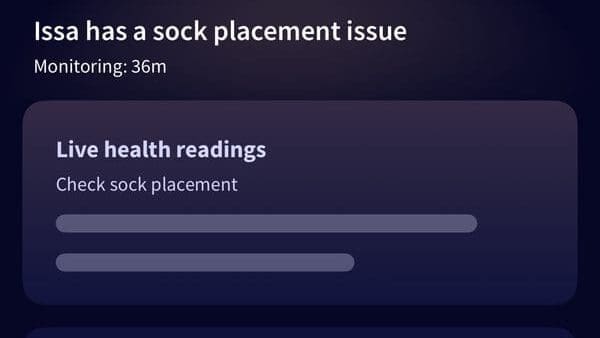
My first time testing this out, the yellow alarm (having trouble getting a reading / disconnected) went off at least 15 times. I almost gave up altogether, but my friend reminded me that placement issues are normal at first, and that kept me going.
Andddd, there’s a subscription. Classic.
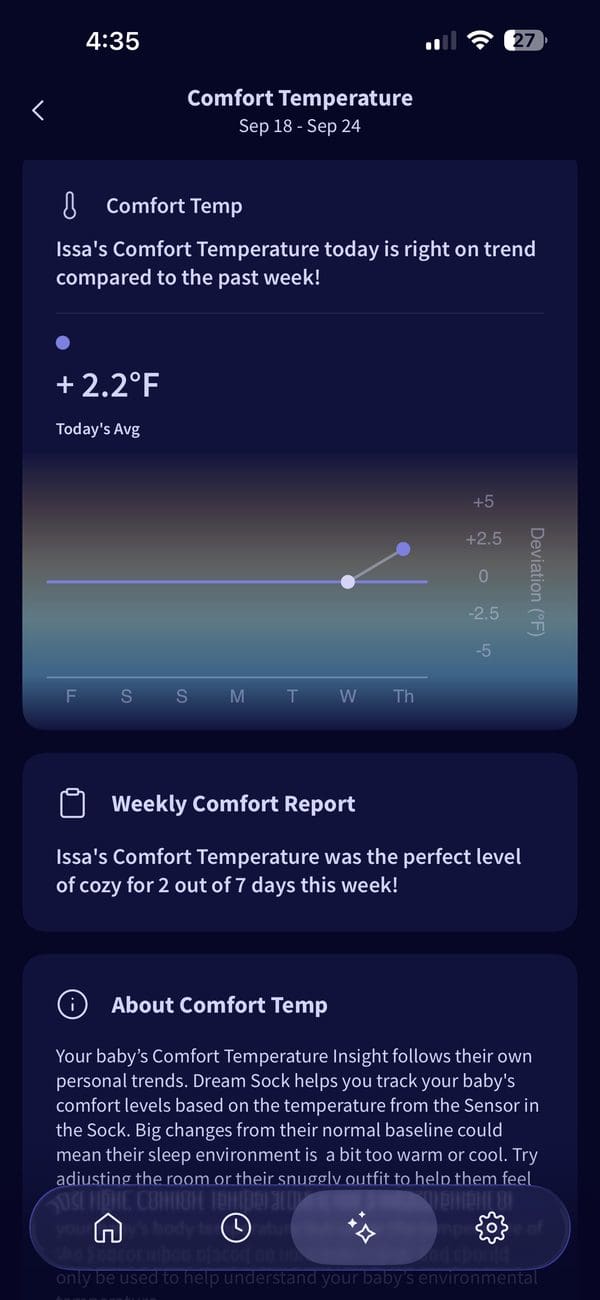
The free Owlet Dream app covers the basics, including live readings and notifications. But the deeper trends and reports live behind Owlet360, their paid subscription. When I checked, the App Store listed it at $5.99 a month or $54.99 a year, with a $9.99 tier also showing. (App Store) [Lindsay: confirm the price you were shown in the app.]
I don’t love it. Every baby product in my house wants a monthly fee at this point. While it’s annoying and I see my $$ flying out the window, I also understand the why. I’ve worked at tech companies that sell hardware plus software. To keep building new features and making the product better, these companies often add a subscription. Hardware typically has a low margin, and engineers are expensive, so enter subscriptions.
The Camera That Never Worked (and the Customer Service That Sealed The Deal)
This is the main reason I returned the Owlet.
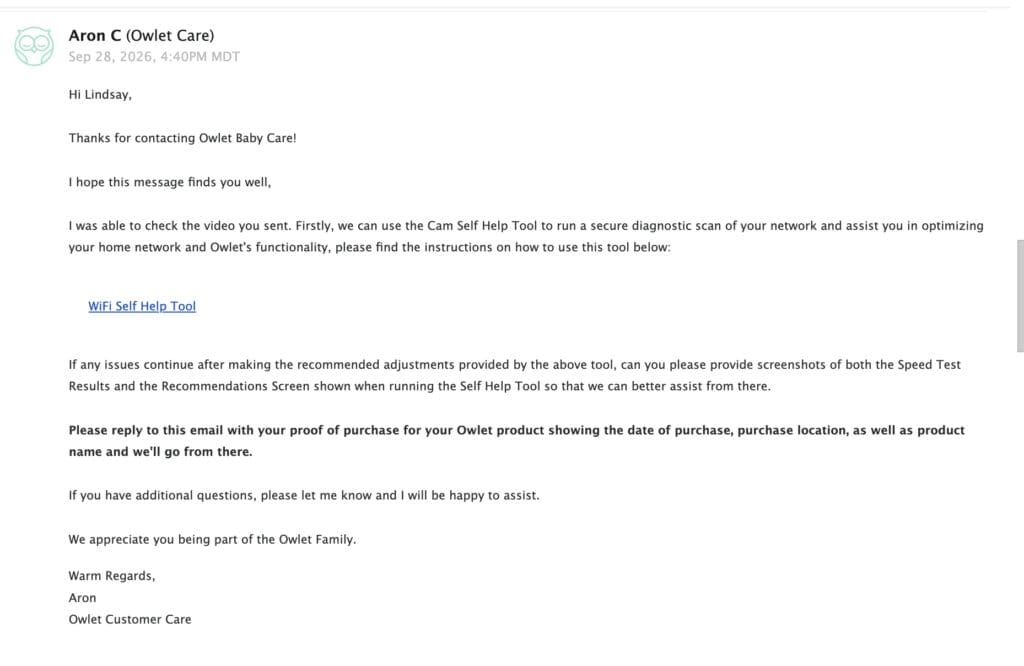
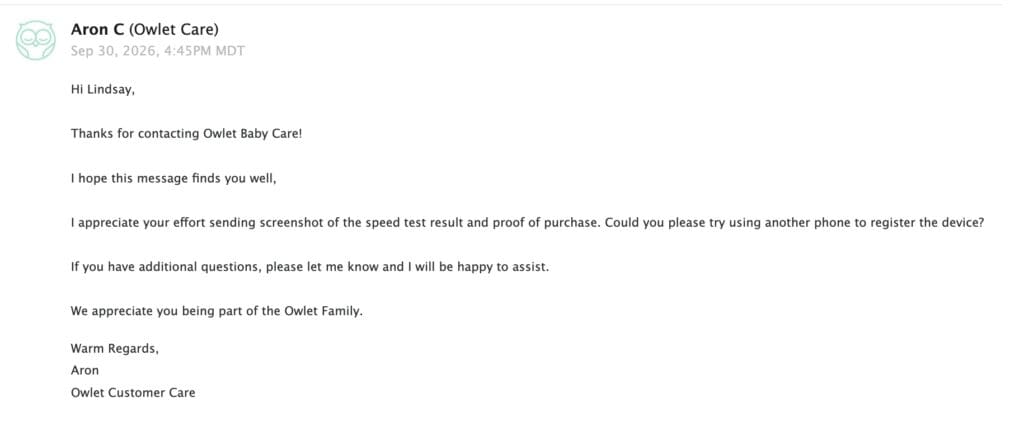
My camera never worked. It never paired with the app because of some sort of connection issue. So I reached out to customer service, and here’s how it went:
- I’d email them.
- They’d reply with one thing to try.
- I’d do the thing, write back, and wait another 24 hours for the next step.
- Repeat.
One reply a day. For 6 days. At one point I had to download a third party app just to run tests to confirm the issue wasn’t due to my internet.
I understand it’s a tech product and there need to be troubleshooting steps. I worked in family tech. I get it. But this felt unacceptable to me. They should have either given me every step to try at once, or just sent me a new camera. When your product is the thing watching a sleeping baby, a 24 hour response time doesn’t cut it.
For comparison: when I had a camera calibration issue with my Cradlewise, it was fixed in under 2 hours. When my Oilo chair got stuck in recline, they answered the same day. On a Sunday. That’s the bar.
Customer service is make it or break it for me. So the Owlet went back in the box.
Owlet vs Nanit Breathing Band
I used the Nanit Breathing Band with Ez and I really liked it. A lot. So here’s how the two stack up.
How the Nanit Breathing Band works
The Breathing Band is a soft cotton band with a printed pattern that wraps around your baby’s chest and belly. Nanit also makes a swaddle version for younger babies whose arms aren’t out yet. This one may be obvious, but you do need a Nanit camera for it to work.
So how does the Breathing Band work? The Nanit camera reads the pattern from above and tracks breathing motion, in breaths per minute. There are no sensors or electronics on your baby. It’s machine washable, goes over pajamas or a sleep sack, and comes in a small (0 to 3 months) and a large (3 to 24 months).
One important difference: Nanit says it’s not a medical device. The Owlet sock is FDA authorized and measures actual oxygen and heart rate. Nanit tracks the motion of breathing.
I really appreciated the simplicity. Nothing went on his actual body; the band just wrapped around him. Plus, the band comes with the camera, which I also very much appreciate. Just know the swaddle version is a separate purchase if your baby is still swaddled.

Side by side
| Owlet Dream Sock | Nanit Breathing Band | |
|---|---|---|
| What it tracks | Heart rate, oxygen, wakings, sleep state | Breathing motion (breaths per minute) |
| How | Sensor in a sock on baby’s foot | Camera reads a printed pattern on a cotton band |
| Electronics on baby | Yes, the sensor | None |
| FDA status | De Novo authorized (2023) | Not a medical device |
| Ages | 0 to 18 months, 6 to 30 lbs | Small 0 to 3 months, large 3 to 24 months |
| Needs a camera? | No, sock works on its own | Yes, a Nanit camera |
| Subscription | Owlet360 for deeper trends | None |
| My experience | Issa, 2026. Returned. | Ez, 2024. Loved it. |
When I used it two years ago, you had to upgrade your Nanit plan to get the Breathing Band features. Nanit has since changed that. One more point for Nanit.
Which one would I buy?
For me: the Nanit Breathing Band. Nothing on my baby, nothing to strap on in the dark, and it works with a camera I’d already want in the nursery.
Get the Owlet if: you want actual vitals (heart rate and oxygen), not just movement, or the sleep stage data is a must for you.
Who Should Buy the Owlet (and Who Should Skip It)
Get the Owlet if:
- Anxiety about your baby’s breathing is keeping you from sleeping
- You have a medically compromised or sick child, where monitoring will bring peace of mind
- You want real vitals (heart rate and oxygen), not just motion
- You love data and want to see sleep stages
- You’re okay with a learning curve the first few nights
Skip it if:
- You don’t have much sleep anxiety (hi, second baby me)
- You hate paying a subscription on top of a $300+ device
- Fast customer support is a must for you
- You already have a Nanit camera. Add a Breathing Band instead.
[Shop Owlet Dream Duo] | [Shop Nanit Breathing Band]
My Final Verdict
The Owlet sock does what it says. The data is the best I’ve seen, and for an anxious mom, it could be the thing that lets you finally close your eyes.
But for me, it came down to everything around the sock. A camera that never worked, a slow support team, alarms that would likely cost me sleep in the beginning instead of saving it, and a subscription on top. And with Issa, I didn’t need the peace of mind the way I did with Ez. Lindsay 2 years ago would have bought this device, and never looked back.
If my best friend asked me, I’d tell her: if you’re scared, get the Owlet and give yourself a week to learn it. If you just want a little extra reassurance, get a Nanit and add the Breathing Band.
Either way, you’re doing great. Cheers, mama.
Did you use the Owlet or the Nanit? Drop a comment and tell me how it went. I read every single one.
Owlet FAQ
Is the Owlet worth it? If anxiety about your baby’s sleep is keeping you up, it can be. The sock’s data is excellent. If you’re not anxious, or you already own a Nanit camera, I’d skip it.
Does the Owlet need a subscription? Not for the basics. The free Dream app covers live readings and notifications. Deeper trends and reports are on Owlet360, a paid plan.
Is the Owlet sock FDA approved? The Dream Sock received De Novo authorization from the FDA in 2023.
Why does my Owlet keep going off? In my experience, the first few nights are rough while you learn the fit and the alerts. Check the sock placement first, and do a test run during a daytime nap.
Owlet or Nanit: which is better? Owlet if you want heart rate and oxygen. Nanit Breathing Band if you want breathing motion tracking with nothing electronic on your baby. I preferred the Nanit.
What ages is the Owlet sock for? 0 to 18 months, 6 to 30 lbs.
Does the Owlet or Nanit prevent SIDS? No. Neither one replaces safe sleep basics: baby on their back, a firm flat mattress, nothing else in the crib. If this is keeping you up at night, talk to your pediatrician.
Disclosure: This post contains affiliate links. I bought the Owlet Dream Duo with my own money. All opinions are my own.


View comments
+ Leave a comment